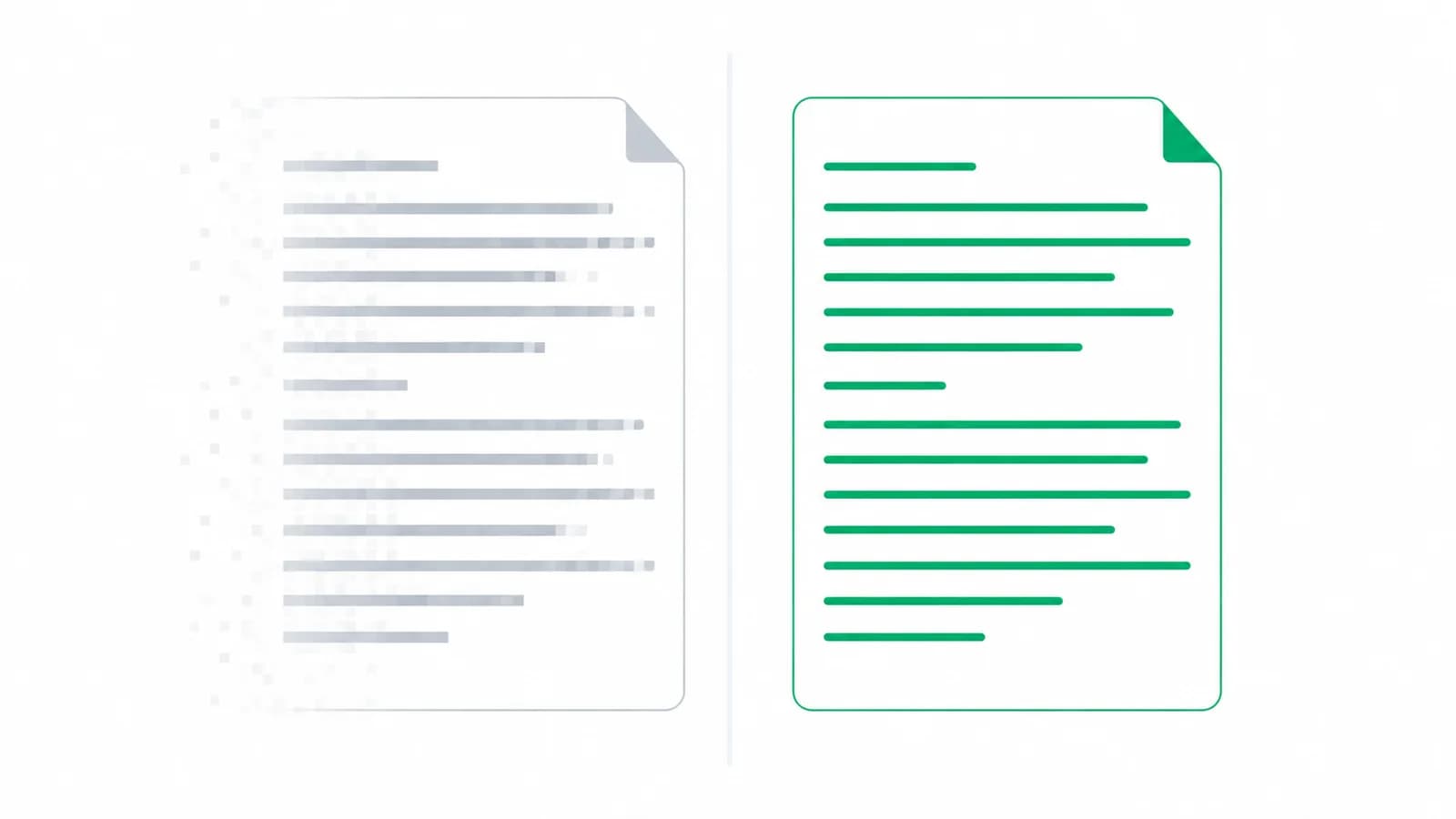
Two clients send you a bank statement for the same period, from the same bank, covering the same 300 transactions. One takes four minutes to process. The other takes two hours and you are still not certain it is right.
On screen the two files look identical. The difference is invisible until you try to do anything with them, and it is the single largest determinant of how long a statement takes to get into Tally. It is worth being able to spot it before you start.
What actually makes a PDF a "text PDF"
A PDF is a container. It can hold two very different things.
A text PDF stores the actual characters. When your bank generates a statement from its core system, it writes "NEFT-HDFC-N123456789-ACME TRADERS" into the file as those exact characters, positioned on the page. Anything reading that file gets the string back perfectly, every time, with no interpretation involved.
A scanned PDF stores a photograph. Someone printed the statement, put it through a scanner or photographed it, and the PDF now contains an image of the page. The characters are gone. What remains is an arrangement of pixels that a human eye reconstructs into text effortlessly and a computer has to guess at.
This is why the same statement can take four minutes or two hours. In the first case the data is being read. In the second it is being guessed.
The three second test
You do not need any software to tell which one you have.
Open the PDF, try to select a line of the narration with your mouse, and watch what happens.
- The text highlights word by word, and you can copy and paste it somewhere: it is a text PDF. Good news.
- Nothing highlights, or a blue box covers the whole page like you selected an image: it is a scan.
- Text highlights but pastes as gibberish: the PDF has a broken or non-standard font encoding. Rare, but it behaves like a scan for practical purposes.
Pro tip
Teach this test to whoever collects documents in your office. Thirty seconds of checking at intake saves hours later, and it is much easier to ask a client for a better file on day one than on day nine.
Why OCR is not the answer people think it is
The obvious response to a scan is to run OCR over it. OCR does work, and for reading a letter or a contract it works well enough that the errors do not matter much. Accounting is not that kind of document.
Consider what is actually on a statement page. Three hundred transactions, each carrying a date, a narration, an amount and a running balance. That is well over a thousand values, and a large share of them are digits.
Digits are where OCR is weakest, because the characters that get confused are the ones that look alike: 1 and 7, 3 and 8, 5 and 6, 0 and O. A narration that comes back slightly wrong is an annoyance you will notice and fix. An amount that comes back as 1,375.00 instead of 1,875.00 is a silent error that balances nowhere, and you will find it during reconciliation, three hours later, with no idea which of the thousand values moved.
That is the real cost. It is not that OCR is inaccurate. It is that OCR is *confidently* inaccurate, and it gives you no way to know which figures to distrust.
Important
A phone photo of a printed statement is the most expensive file a client can send you. Uneven lighting, a slight angle and a fold in the paper turn a merely difficult job into one where every figure has to be checked against the original by eye. If you accept these routinely, you are absorbing that cost silently.
What to ask the client for instead
Almost every scanned statement in a CA office exists because nobody told the client what was needed. The fix is a sentence in your onboarding email, not a technology purchase.
What you want, in order of preference:
- The statement downloaded directly from net banking as a PDF. Every Indian bank offers this, and it is always a text PDF.
- The statement downloaded as Excel or CSV, where the bank offers it. Even better, since there is no layout to interpret at all.
- The statement emailed by the bank. Bank-generated email attachments are text PDFs.
- A statement collected from the branch, then scanned. Workable, but you are now in OCR territory.
- A photograph of a printout. Avoid. Ask again.
The password on the PDF is not the problem
A related worry worth clearing up: most Indian banks protect statement PDFs with a password, usually built from some combination of the customer's PAN, date of birth or account number.
This does not make the file harder to process and it does not make it a scan. A password-protected text PDF is still a text PDF. You need the password, the client has it, and once it is open the file behaves exactly as any other. It is not a reason to ask for a printout, which is what sometimes happens.
When you genuinely cannot get a better file
Sometimes the account is closed, the client has left the country, or the only surviving record is a photocopy in a file. It happens.
In that case, be deliberate about it. Treat the scan as a source that needs verification rather than a source you can trust: check the opening and closing balances against something independent, and check that the running balance is internally consistent down the page. If the balances tie at both ends and the arithmetic holds all the way through, the amounts are almost certainly right even if a narration or two came through garbled. If they do not tie, you have found the problem early rather than at reconciliation.
This is also worth pricing honestly. A scan is genuinely more work than a download. If a client habitually sends photographs, that is a conversation about their process, not something to absorb quietly every quarter.
Pro tip
Greenote reads text PDFs, Excel and CSV, and deliberately does not pretend to read scans. Silently OCR-ing a photograph and handing back numbers that look confident is exactly the failure mode described above, so it refuses instead of guessing.
Conclusion
The gap between a text PDF and a scan is the largest single lever on how long bank entry takes, and it costs nothing to pull. One line in your document request, one three second check at intake, and most of the problem disappears.
Once the file is right, the rest is mechanical. Greenote reads the statement on your own PC, rebuilds every transaction, names the counterparty where the narration allows it and posts vouchers into Tally. See how the whole flow works, or check how your client's bank prints its statements.
Start a free trial and run it on a real statement.
Turn bank statements into Tally vouchers offline
Greenote reads 100+ Indian banks and posts clean vouchers straight into Tally, fully on your PC. No uploads, no cloud, no manual entry.
7-day free trial, no card required. Works with Tally Prime & ERP 9.